Your health data, explained every day
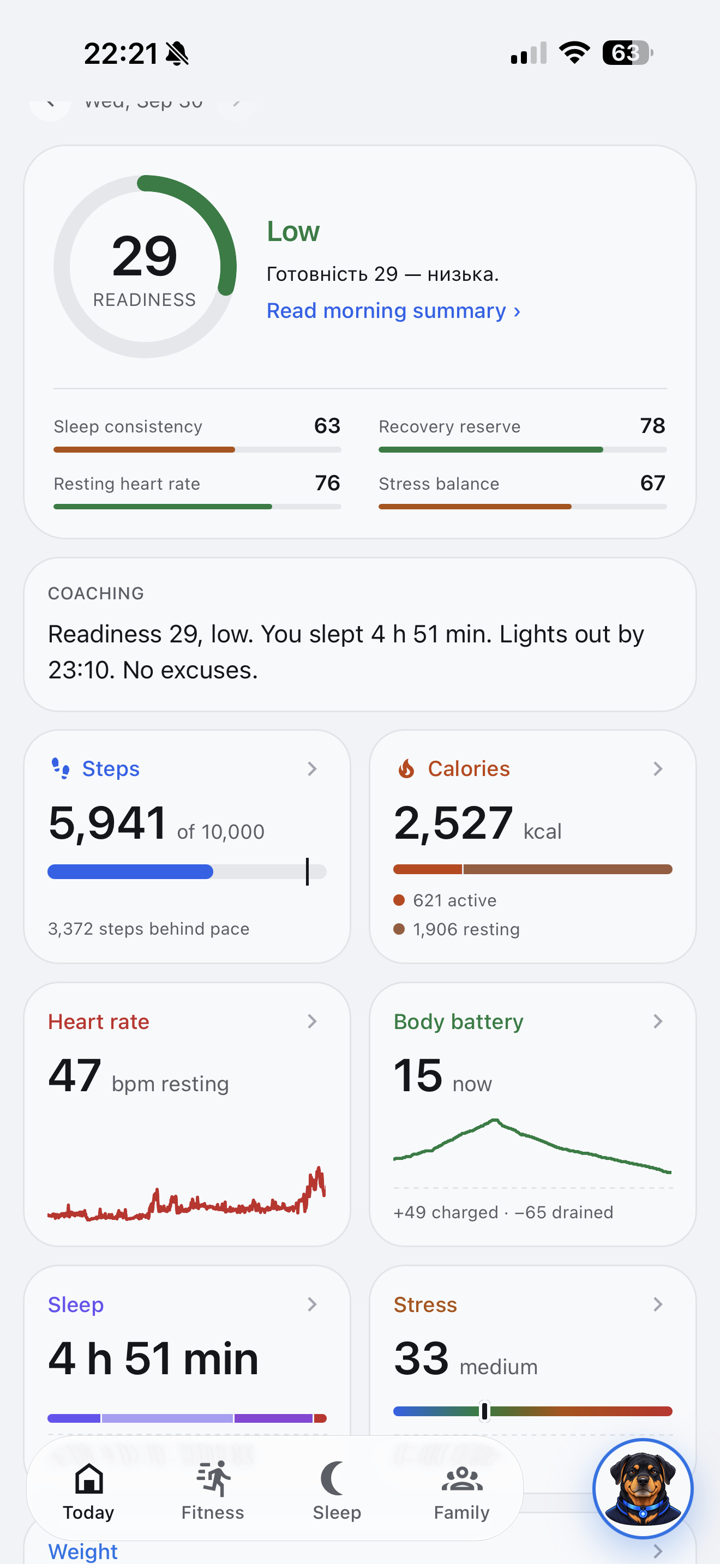
Sanare collects your heart rate, sleep, stress and activity from Garmin and Apple Health, and an AI coach tells you what it means and what to do today. Bring your family along, or roll it out to your whole company.
For you and your family
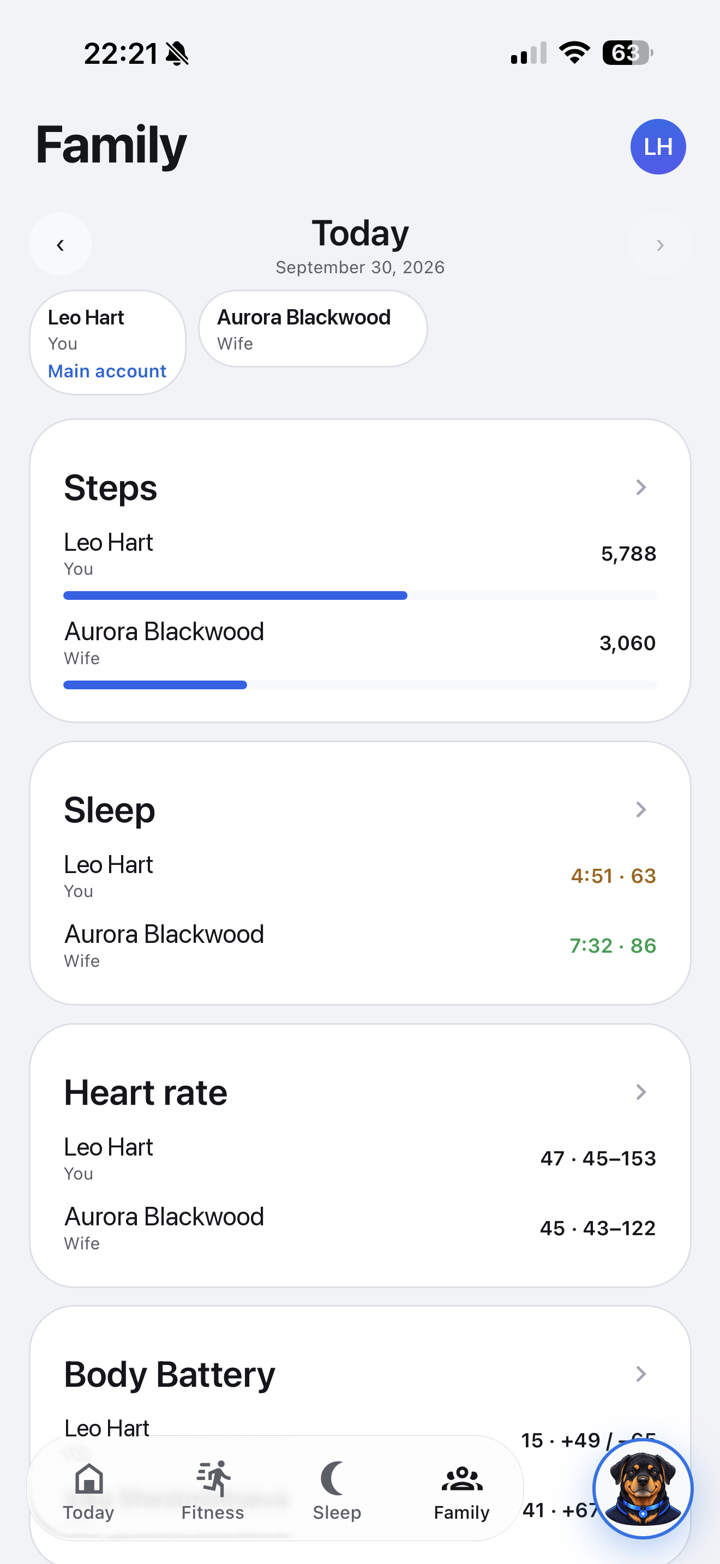
One app for your own metrics, a coach that analyses them every day, and family leaderboards for steps, sleep and heart rate.
See how it worksFor companies
A health benefit your people actually use: the full app for every employee, team leaderboards and challenges, and anonymous trends for HR.
Sanare for TeamsAgent first
A coach that reads your data before you do
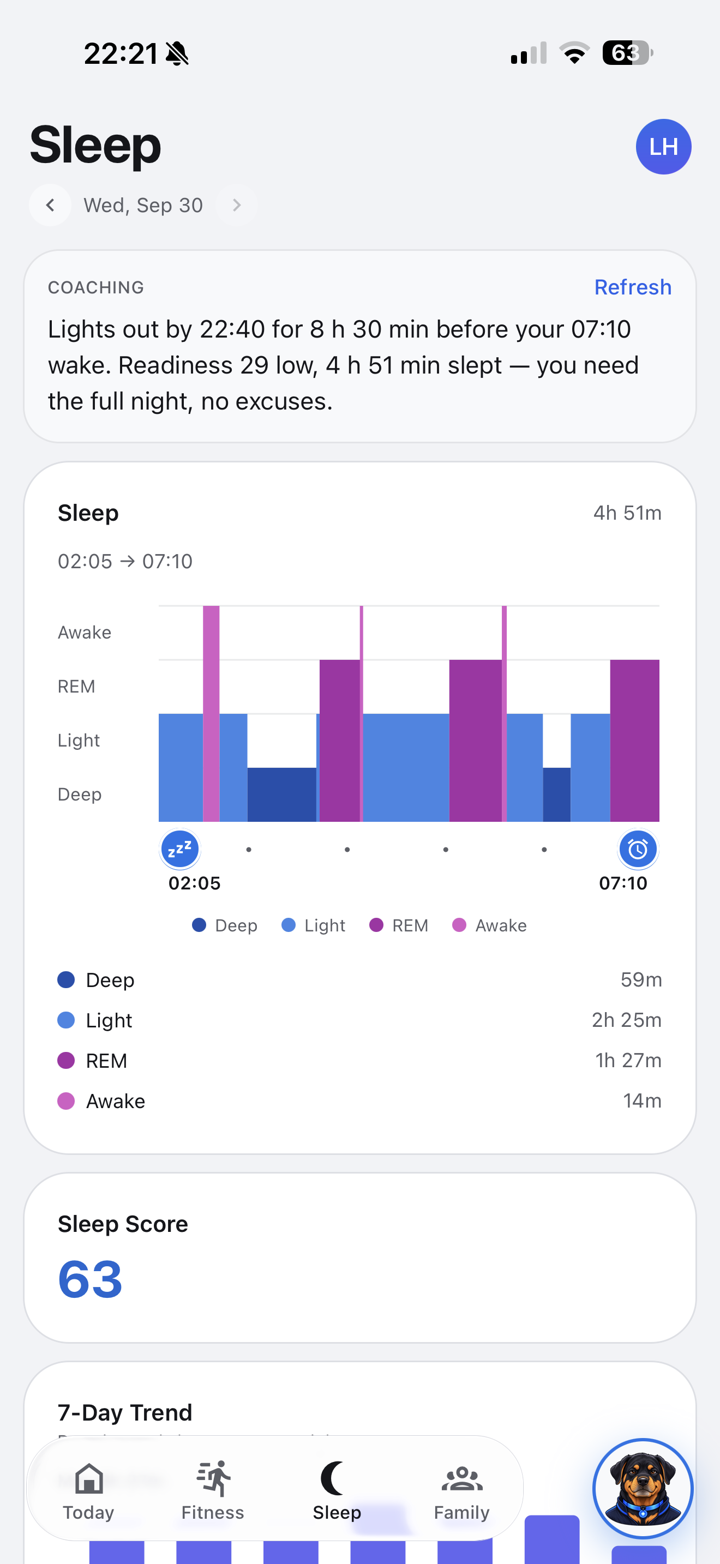
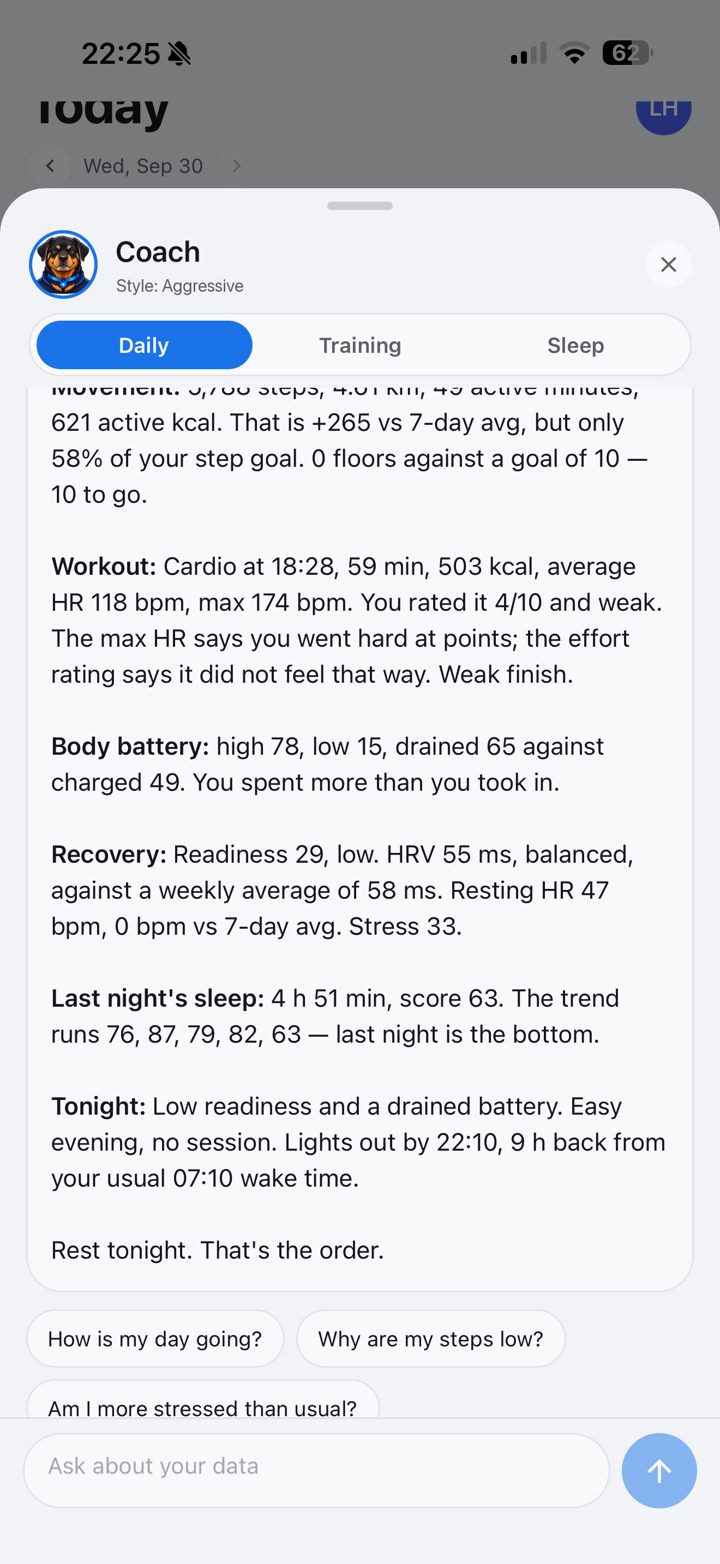
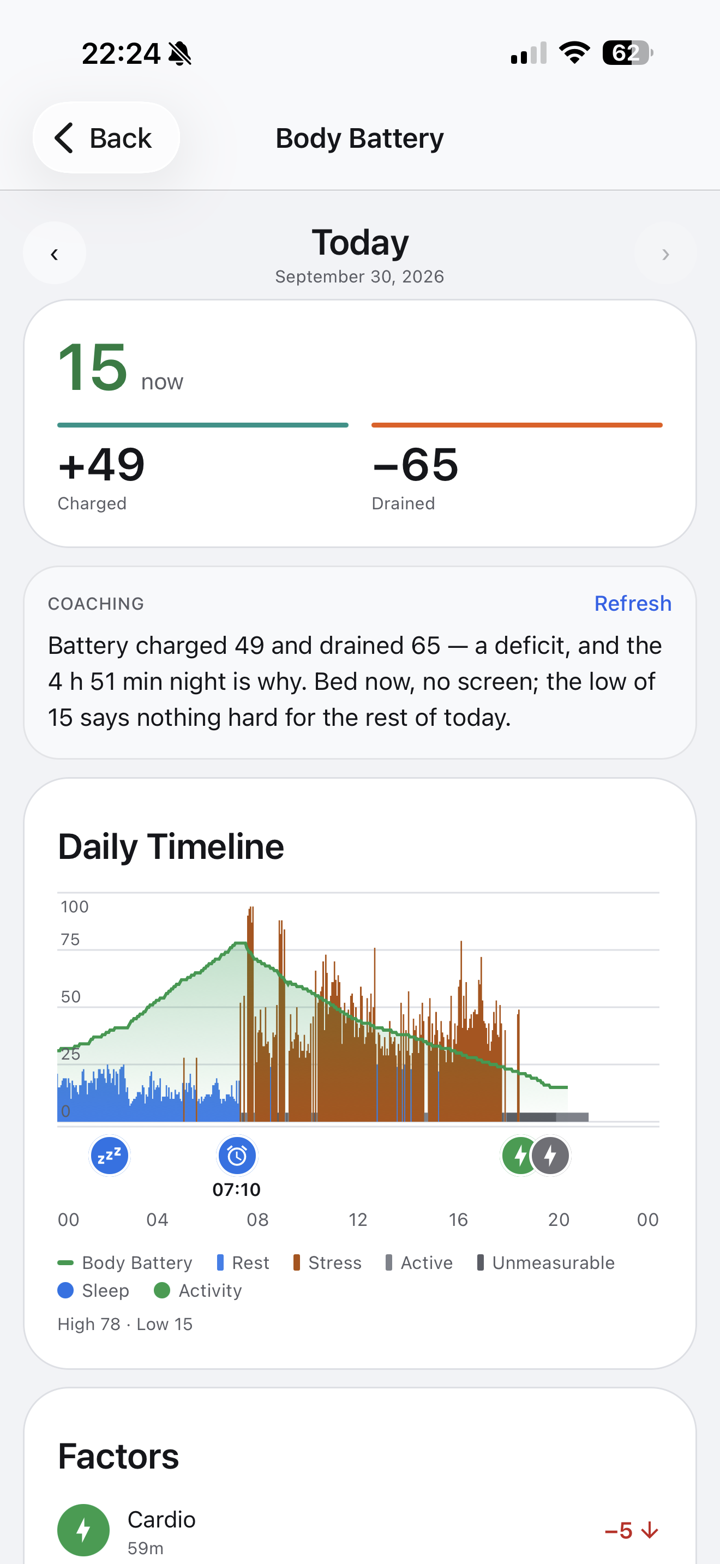
Most health apps give you charts. Sanare gives you an answer. The coach looks at your sleep, recovery, stress and training every day, compares them with your own baseline, and tells you what changed.
- A morning summary of your night and what today should look like
- A short brief after every workout, with how your body responded
- Ask anything: “Why was my sleep worse this week?”
- Choose its voice: supportive, tough, or relaxed
- Speaks English, Polish and Ukrainian
Family
Keep each other going
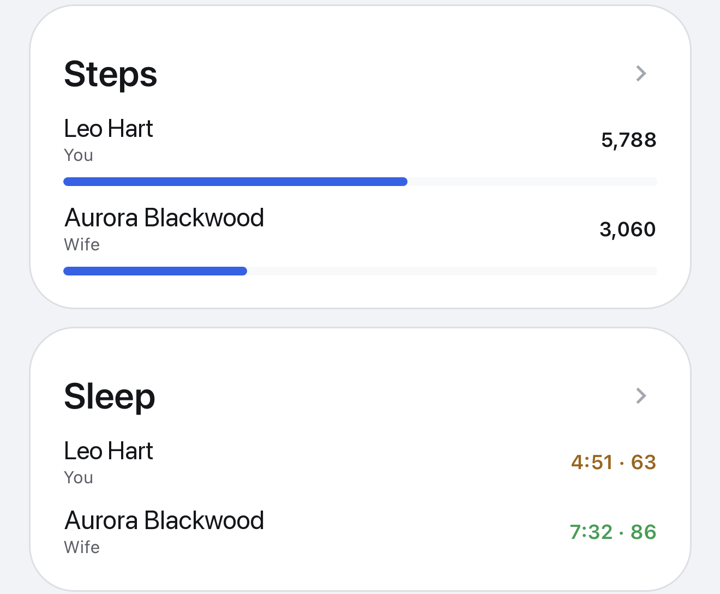
Invite up to five people. Everyone keeps their own account, the family sees each other’s daily stats, and coach chats stay private.
- Family leaderboards for steps, sleep and heart rate
- Tap anyone to see their day, updated live
- A family coach that reviews how everyone is doing
- Check in on parents or a partner without asking every day
A health benefit your team will actually open
HR buys seats, can add Garmin watches for people who need one, and invites the team by email. Each employee gets the full Sanare app with the coach. Employees choose what to share with the company, and HR sees leaderboards and team averages, never personal records.
Garmin watches for your team
Make a Garmin watch part of the benefit. Employees who don’t have one get a device, and their data flows into the app from day one.
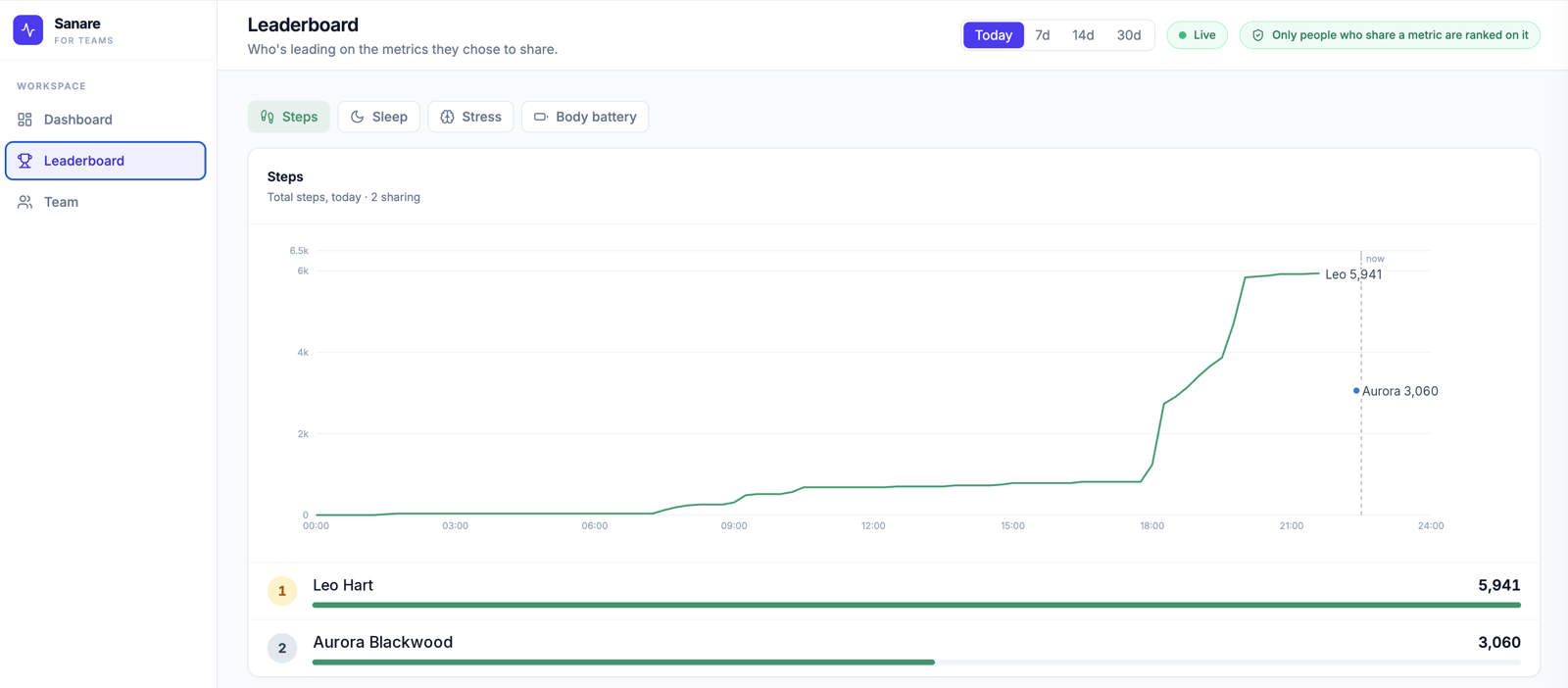
Leaderboards
Live team rankings for the metrics members share, such as steps or sleep. Updated as people walk.
Challenges with prizesSoon
Run a step challenge for a month, set a prize, and let the leaderboard pick the winners.
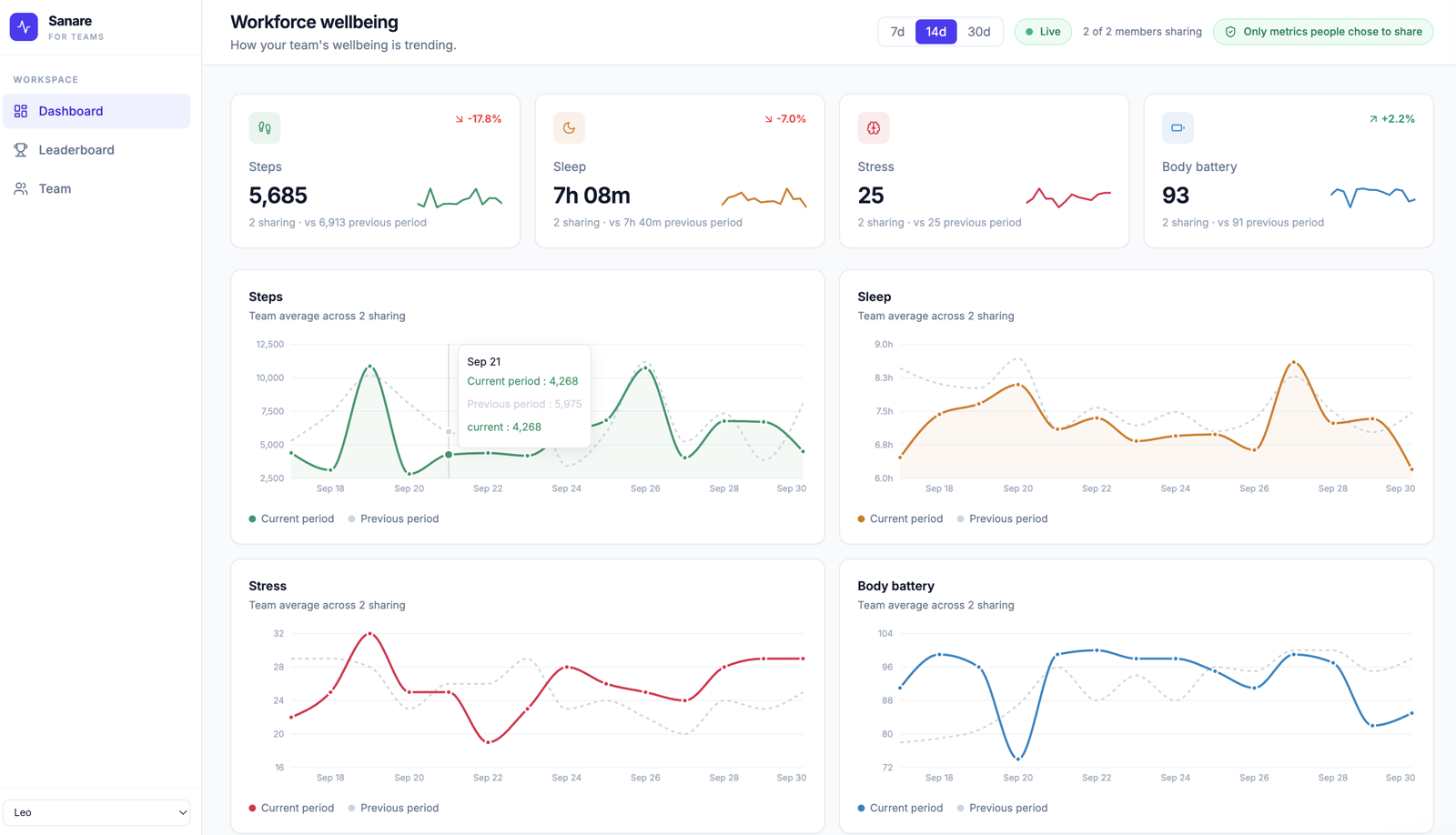
Company trends
Team averages for steps, sleep, stress and body battery over 7, 14 or 30 days, compared with the previous period. Shown only as averages.
How it works
- 1
Buy seats
Pay per member per month. Add or remove people any time.
- 2
Add Garmin watches
Optional: give a Garmin watch to employees who don’t have one.
- 3
Invite your team
Employees get an email, sign in with Google and connect their watch.
- 4
Members choose what to share
Steps for the leaderboard, sleep, or nothing at all.
- 5
Watch the trends
Live leaderboards, and team averages compared with the previous period.
Your data, your call
Private by default
You choose who sees it
Your company sees only the metrics you turn on. Your family sees your daily stats. You can stop sharing or leave at any time.
Encrypted connections
Your Garmin access is encrypted, and each account can only read its own data and what others share with it.
Never sold
Your health data is not sold or shared with advertisers.
Works with Garmin and Apple Health. More sources coming.
Pricing
Try it free for 7 days
Every plan starts with a 7-day free trial. Cancel any time.
Individual
$10/ month
Your own metrics and an AI coach that reads them every day.
- All metrics and full history
- AI coach in chat
- Morning summaries and workout briefs
Family
$15/ month
One plan for up to five people. Everyone gets the full app.
- Everything in Individual, for 5 people
- Family leaderboards
- Family coach
Teams
$15per member / month
Paid by the company. Every member gets the full app, including the coach.
- Full app for each member
- Leaderboards and challenges
- Company trends
- Garmin watches as an option
Questions
Good to know
Which devices work?
Garmin watches and Apple Health today. Everything your Garmin records, from sleep stages to body battery, comes in automatically.
What does the AI coach do?
It reads your data every morning and after every workout, writes a short summary of what changed, and answers questions about your health in plain language.
Who sees my data in a family?
Family members see each other’s daily health stats and summaries. Your chats with the coach stay private, and you can leave the family at any time.
Can my employer see my health data?
No. Your company sees only the metrics you choose to share, like steps for a leaderboard. Company trends are team averages, never individual records.
Do employees need their own watch?
No. A company can include Garmin watches in the benefit, so everyone can take part. Employees who already have a Garmin or an iPhone can use their own.
How do I delete my data?
In the app, go to Settings › Delete account. Your account and data are deleted right away. Without the app, email privacy@sanare.fit from your account’s address.
What happens if I leave my company’s program?
You can leave at any time. You keep your account and all your history on your own plan.